
GPT ImageGPT Image
Home
쇼케이스
가격
프롬프트 라이브러리

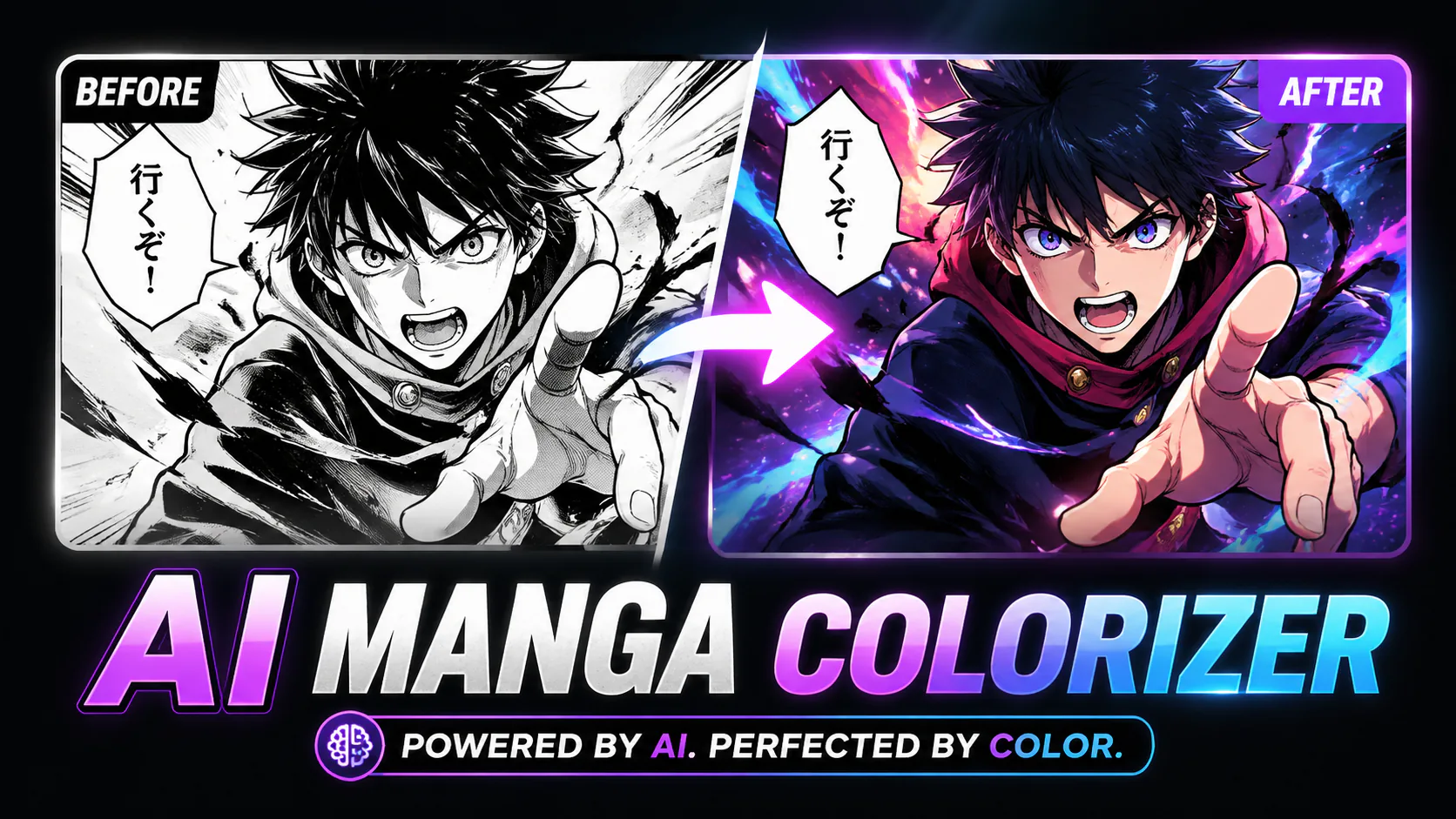
AI 만화 채색 프롬프트 모음

흑백 만화의 선화, 컷 경계, 스크린톤을 지키면서 더 안정적으로 채색하는 AI 만화 채색 프롬프트입니다.

Manga Colorizer에서 사용프롬프트 복사
Manga colorizer prompt result preview

AI 만화 채색 프롬프트는 색을 요구하기 전에 원본 선화, 컷 경계, 스크린톤, 표정, 캐릭터 팔레트를 보존하도록 쓰면 가장 안정적입니다. 채도, 조명, 피부 톤 일관성, 색 번짐 제한도 함께 적으면 원래 잉크 구조를 잃지 않고 읽기 쉬운 컬러 컷을 만들 수 있습니다.

용도별 Manga Colorizer Prompts

Basic black and white manga coloring

Color this black and white manga page while preserving the original line art, panel borders, facial expressions, and shading logic. Use clean anime color tones, consistent skin tones, natural hair colors, and avoid color bleeding across panels.

Use this when the page is clean and you mostly need controlled default coloring.

Soft anime-style manga coloring

Apply soft manga colorization to this black and white page. Keep the original ink lines untouched, use balanced saturation, consistent lighting, and natural character palettes across the full page.

Good for dialogue-heavy pages where high contrast color can distract from reading.

High contrast action scene coloring

Color this manga action scene with strong contrast and cinematic highlights while preserving line art, speed lines, impact shadows, and panel composition. Keep character colors consistent and readable.

Action pages need speed lines and shadow blocks protected before color is added.

Vintage manga cover coloring

Turn this black and white manga cover into a polished full-color manga illustration. Preserve original composition and linework, use vibrant but controlled colors, and keep the title area visually clean.

Best for covers or title pages, not small multi-panel scans.

Character skin tone consistency prompt

Color all appearances of the same character with matching skin tone, hair color, eye color, and clothing palette. Preserve the manga line art, panel borders, screentone texture, and original shadows.

Use it when one character appears in several panels and color drift becomes obvious.

Background-safe manga colorizer prompt

Color the characters and important props while keeping busy manga backgrounds subtle. Preserve hatching, screentones, panel borders, and fine line art. Avoid heavy background color bleeding into faces or speech bubbles.

Useful for dense pages where backgrounds can overpower faces.

더 좋은 Manga Colorizer Prompts 작성법

  • Start with preservation rules: line art, panel borders, screentones, and speech bubble edges should stay unchanged.
  • Name the color target clearly, such as soft anime color, vintage cover color, or high contrast action color.
  • Ask for consistent character palettes when the same person appears across multiple panels.
  • Add limits like no color bleeding, no altered expressions, and no rewritten text when the scan includes dialogue.
  • For covers, protect the title area separately because decorative typography is easy to distort.

자주 하는 실수

  • Using only "color this manga" gives the model no reason to protect line art or panel structure.
  • Mixing too many style words can create muddy colors and inconsistent faces.
  • Forgetting skin tone consistency makes recurring characters look different from panel to panel.
  • Asking for dramatic lighting on every panel can flatten screentones and make dialogue pages harder to read.

Manga Colorizer Prompts FAQ

How do I keep manga line art unchanged?

Put the preservation instruction at the start of the prompt: keep original line art, panel borders, screentones, facial expressions, and shading logic unchanged. Then describe the color style after that.

How do I avoid color bleeding between panels?

Ask the model to preserve panel borders and avoid color bleeding across panels. Clean scans help; low contrast borders or cropped gutter lines still need manual review.

Can I use manga colorizer prompts for covers?

Yes, but cover prompts should protect the title area and original composition. Covers tolerate more vibrant color than dialogue pages, while small text and logos should be checked after generation.

What is the best prompt for black and white manga coloring?

The best general prompt is one that preserves line art first, then requests clean anime tones, consistent skin and hair color, natural lighting, and no color bleeding across panels.

Should a manga colorizer prompt mention speech bubbles?

Yes if the page has dialogue. Tell the AI to keep speech bubbles clean and avoid changing text, especially when you only want coloring and not translation.

관련 다음 단계

Manga Colorizer

Use the prompts on a black and white manga page.

Nano Banana Prompts

Copy broader image prompts for product photos, portraits, and anime images.

GPT ImageGPT Image

GPT Image는 삭발 필터, 헤어 시뮬레이션, AI 프로필 사진(인스타 프사/카톡 프사), 증명사진 생성, 워터마크 제거, 4K 업스케일러를 제공하는 차세대 AI 이미지 플랫폼입니다.
쇼핑몰 상품 이미지부터 K-pop 스타일 아바타까지, 전문가급 결과물을 AI로 실현합니다.

브랜드 소개

  • 자주 묻는 질문
  • 쇼케이스
  • 요금 안내

AI 이미지

  • Nano Banana 2
  • GPT-Image 2
  • Nano Banana Pro
  • Seedream 5.0
  • Grok 4.2 Image

AI 비디오

  • Gemini Omni
  • HappyHorse
  • Seedance 2
  • Veo 3.1
  • Grok Video
  • Wan 2.6

AI 도구

  • AI 상품 사진
  • 사진 복원
  • 배경 제거
  • 이미지 확대
  • AI 증명사진
  • 애니메이션 필터
© 2024 GPT Image, All rights reserved
개인정보 처리방침이용약관환불 정책환불 신청
deDeutschenEnglishesEspañolfrFrançaiszh-HK繁体中文ja日本語ko한국어trTürkçezh中文heעבריתplPolski
본 서비스는 GPT Image API 기술을 기반으로 운영됩니다. 당사는 독자적인 제3자 서비스 제공업체로서 최적화된 AI 창작 환경을 제공하며, OpenAI와 직접적인 상업적 관련은 없습니다.